Key takeaways
- Small and Portable with Built-In Battery
- Built-In Search Dial
- Keyboard Shortcuts Match Edit Functions
Best MacBooks for Video Editing
The best MacBook for video editing is the 14-inch MacBook Pro with a Pro-series chip for serious 4K work, while the 13-inch MacBook Air is the better value for short-form video, school projects, and occasional 4K editing.
Quick picks by editing situation
| Editing situation | Best choice | Recommended configuration | Why it fits |
|---|---|---|---|
| Short-form videos, social clips, and travel editing | 13-inch MacBook Air | M4 chip, 16GB memory, 512GB storage | Light, quiet, affordable, and capable of smooth 4K timelines with optimized media |
| Freelancing and frequent travel | 15-inch MacBook Air | M4 chip, 24GB memory, 512GB or 1TB storage | More timeline space without the weight and fan noise of a MacBook Pro |
| Regular 4K client projects | 14-inch MacBook Pro | Pro-series chip, 24GB or more memory, 1TB storage | Better sustained performance, brighter display, more ports, and active cooling |
| Multicam 4K, 6K, effects, and color grading | 14-inch MacBook Pro | Max-series chip, 36GB or more memory, 1TB or 2TB storage | Extra GPU performance and memory reduce slowdowns in demanding timelines |
| Large projects and desktop replacement use | 16-inch MacBook Pro | Pro- or Max-series chip, 36GB or more memory, 1TB or more storage | Largest built-in workspace and strong sustained performance |
MacBook Air: the sensible choice for most short-form editors
The M4 MacBook Air is available in 13.6-inch and 15.3-inch sizes. Both use a sharp Liquid Retina display, provide long battery life, and run silently because they have no built-in fan. That silence is useful when recording voiceovers or editing in a shared room.
Our top picks
 Blackmagic Design Davinci Resolve Speed Editor
- Small and Portable with Built-In Battery
- Built-In Search Dial
- Keyboard Shortcuts Match Edit Functions
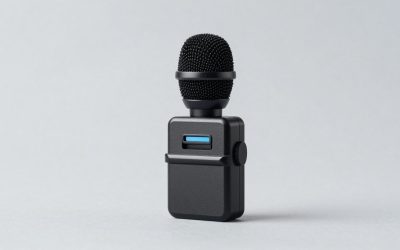
 XPPen Mini Keydial ACK05 Wireless Shortcut Keyboard
- Wireless Connection: ACK05 wireless shortcut keyboard supports bluetooth…
- Please Note: If you do not download the…
- Compact Size with Large 1000 mAh Battery: The…
As an Amazon Associate we earn from qualifying purchases at no extra cost to you.
The 13-inch model weighs about 2.7 pounds, making it the easiest MacBook to carry between a home office, classroom, and coffee shop. The 15-inch version weighs roughly 3.3 pounds and gives you a wider timeline, larger preview window, and more comfortable side-by-side workspace for a video editor, browser, and audio panel.
For 1080p footage, Reels, YouTube Shorts, and straightforward 4K projects, 16GB of unified memory is usually sufficient. Choose 24GB if you work with multiple applications, large photo libraries, motion graphics, or long 4K timelines. The Air can edit demanding footage, but its fanless design means performance may reduce during long exports or continuous effects work.
Choose the Air when portability matters
A 13-inch Air works particularly well on a compact desk. Allow at least 24 inches of usable desk width for the laptop, mouse, and a small external drive. A 15-inch Air is more comfortable for timeline work, but reserve approximately 30 inches of width if you want space for a full-size keyboard or drawing tablet.
The main compromise is connectivity. The Air has two Thunderbolt or USB 4 ports, a headphone jack, and MagSafe charging. A USB-C hub may be necessary for an SD card, external SSD, monitor, and camera accessories. Budget roughly $50–$150 for a reliable hub and card reader rather than treating the laptop’s advertised price as the complete editing setup.
MacBook Pro: the better tool for sustained 4K editing
The 14-inch and 16-inch MacBook Pro models are designed for heavier workloads. Pro- and Max-series chips offer more CPU and GPU resources than the Air, and the active cooling system helps maintain performance during long exports, noise reduction, multicam playback, and effects rendering.
The 14-inch Pro is the strongest all-rounder. Its 14.2-inch Liquid Retina XDR display offers higher contrast and substantially greater brightness than the Air, which is valuable when checking shadows, highlights, and HDR footage. It also includes a wider selection of built-in ports, typically including HDMI, an SDXC card slot, MagSafe, and Thunderbolt ports.
The 16-inch Pro has a 16.2-inch display and is the most comfortable MacBook for detailed timelines and color work. Its larger screen does not replace a proper external monitor, but it reduces scrolling and makes it easier to keep scopes, effects controls, and the viewer visible together. The trade-off is portability: it weighs approximately 4.7 to 4.8 pounds before adding a charger, sleeve, or external drive.
Which chip should you buy?
- Standard M4: Best for short-form work, 1080p, basic 4K cuts, captions, simple transitions, and light color correction.
- Pro-series chip: Better for frequent 4K editing, multicam sequences, longer exports, and projects with several effects layers.
- Max-series chip: Justified for heavy GPU effects, demanding color workflows, 6K footage, multicam editing, and professional work where export time has a financial cost.
Do not buy a Max-series chip simply because it is the most powerful option. If your software workflow mostly involves cutting clips, adding titles, and exporting occasional 4K videos, extra GPU cores may provide less visible benefit than spending the same money on more memory, a larger SSD, or a calibrated monitor.
Memory and storage: the specifications that age differently
Unified memory is shared by the processor and graphics system. It cannot be upgraded later, so it deserves more attention than a small difference in processor speed.
- 16GB: Suitable for most short-form, 1080p, and uncomplicated 4K editing.
- 24GB: A strong middle ground for freelancers, frequent 4K work, motion graphics, and multitasking.
- 36GB or more: Appropriate for multicam projects, 6K footage, complex effects, large compositions, or professional use over several years.
Storage fills faster than many buyers expect. A single camera shoot can produce hundreds of gigabytes before proxies, render files, project backups, and exports are added. A 512GB internal SSD is workable if you store media on external drives. Choose 1TB if you want active projects, applications, and cache files on the MacBook. Choose 2TB when you regularly travel with several projects and cannot depend on a desktop storage system.
Battery life and portability in real editing conditions
Apple rates recent MacBooks for long video-streaming battery life, with the Air reaching up to about 18 hours and some MacBook Pro configurations reaching up to about 24 hours. Video editing is more demanding than streaming. Rendering, screen brightness, external drives, wireless devices, and GPU-heavy effects can reduce those figures considerably.
The Air is the easiest option for editing away from a desk because it is light and has no fan noise. The 14-inch Pro is still portable but noticeably heavier once its power adapter and accessories are included. The 16-inch Pro is best treated as a portable workstation rather than a casual travel laptop.
For a home editing desk, aim for at least 28 inches of depth. That leaves room behind the laptop for cable routing and prevents the screen from sitting too close to your eyes. If you plan to connect a 27-inch monitor, external SSD, speakers, and card reader, a 48- to 60-inch-wide desk is more comfortable than a narrow writing desk.
Display size versus external monitor
A larger MacBook screen improves editing immediately, but display size is not the same as color accuracy for final delivery. The Air is suitable for general web video and social content. The MacBook Pro’s XDR display is more useful for HDR checking and detailed grading, although serious color work should still use a properly calibrated reference display when the budget allows.
Choose the 13-inch Air if you mainly edit at home with an external monitor. Choose the 15-inch Air if you want a larger built-in canvas without moving to the Pro range. Choose the 14-inch Pro for the best balance of screen area, power, and portability. Choose the 16-inch Pro if the laptop itself is your primary editing monitor.
Final recommendation
For the best value, buy the 13-inch M4 MacBook Air with 16GB memory and 512GB storage. For a more comfortable mobile editing setup, choose the 15-inch Air with 24GB memory. For regular professional 4K work, the 14-inch MacBook Pro with a Pro-series chip, at least 24GB memory, and 1TB storage is the safest long-term choice. Select the 16-inch Pro or a Max-series configuration only when your footage, effects, or delivery schedule consistently demands its additional performance.