Key takeaways
- Two HDMI outputs listed, up to dual 4K@60Hz
- Four 10Gbps USB-A and USB-C ports
- 100W PD and an aluminum body
Quick answer: The best usb c docks under $50 start with the UGREEN 7-in-1 dual HDMI dock, which lists two 4K@60Hz outputs and four 10Gbps data ports. UGREEN Revodok Pro, Anker, Acer and Hiearcool follow for Ethernet, card slots and brand trust. Every dock below is listed at or under $50.
This list is compared from listing specifications, not from using each dock, so the notes below stick to what each page states and flag what it leaves out. At this level most devices are multiport hubs that hang from one USB-C port, not full desktop docks with a separate power brick. That is fine for a laptop, a monitor, a wired network and a few drives. Read the picks in order, then use the buying checklist to match the ports to your setup and check the maker page for any figure a listing leaves out. Because these hubs share one laptop port, adding more devices splits the available bandwidth, so a hub with more ports is not automatically faster. Choose the ports you will actually plug in on a typical day.
Quick Comparison
| Model | Key specs (per listing) | Best for |
|---|---|---|
| UGREEN 7-in-1 dual HDMI | 2 x HDMI dual 4K@60Hz, 4 x 10Gbps ports | Two-monitor desks |
| UGREEN Revodok Pro 9-in-1 | 4K@60Hz HDMI, Ethernet, 100W PD, card slots | All-round desk and travel |
| Anker 8-in-1 | 4K@60Hz HDMI, 85W PD, 10Gbps USB-C | Brand trust, fast storage |
| Anker 6-in-1 | 4K HDMI, Ethernet, 65W PD | Thin laptops and tablets |
| Acer 9-in-1 | 4K HDMI, 1080P VGA, Ethernet, 3 x USB-A | Mixed display setups |
| Hiearcool | 4K@60Hz HDMI, 1Gbps Ethernet, 100W PD | Travel and bag use |
1. UGREEN 7-in-1 USB C Docking Station with Dual HDMI
2 x HDMI, dual 4K@60Hz | 4 x 10Gbps USB-A and USB-C data ports | 100W PD | aluminum body
As an Amazon Associate we earn from qualifying purchases at no extra cost to you.

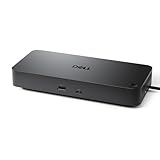
UGREEN is the only dock in this roundup that lists two HDMI outputs with dual 4K@60Hz, so it is the pick for a two-monitor desk. The listing also names four 10Gbps data ports across USB-A and USB-C, 100W power delivery and an aluminum body for the 7-in-1 layout, with HP, ThinkPad and Dell laptops mentioned. Dual-display output depends on your laptop supporting it over USB-C, so check the laptop spec before relying on the second screen. The listing does not mention an Ethernet port or card slots, so this dock is about displays and data. Choose it when a second monitor matters more than wired networking or an SD slot.
Pros
- Two HDMI outputs listed, up to dual 4K@60Hz
- Four 10Gbps USB-A and USB-C ports
- 100W PD and an aluminum body
Cons
- No Ethernet or card reader listed
- Dual-display support depends on your laptop
2. UGREEN Revodok Pro 9-in-1 USB C Hub
4K@60Hz HDMI | gigabit Ethernet | 100W PD | USB-A data ports | SD/TF card reader

The Revodok Pro is the all-rounder at this level, combining a 4K@60Hz HDMI port, gigabit Ethernet, 100W power delivery, USB-A data ports and an SD and TF card reader in a nine-port hub. The listing names compatibility with MacBook Neo, Air and Pro models with M1 to M5 chips and the Steam Deck, which widens its use beyond a desk. It gives one display output, so a second monitor needs a different dock. The listing does not give the data rate of its USB ports. It suits people who want one hub for a monitor, a wired network, a card reader and a charger, such as a photographer or a traveller using one setup between desk and bag.
Pros
- 4K@60Hz HDMI plus gigabit Ethernet
- 100W PD with SD and TF card slots
- Listing names MacBook and Steam Deck compatibility
Cons
- Only one display output
- USB data rate is not listed
3. Anker 8-in-1 USB-C Hub with 4K HDMI
4K@60Hz HDMI | Ethernet | 85W max PD | 10Gbps USB-C | 2 USB-A | microSD and SD reader

Anker brings a known name to a spec sheet that is close to the UGREEN Revodok. The listing gives a 4K@60Hz HDMI port, Ethernet, a maximum of 85W power delivery, a 10Gbps USB-C data port, two USB-A ports and an SD and microSD reader, in eight ports. The 10Gbps USB-C is a useful detail for external SSDs, and the 85W cap suits most thin laptops but may fall short of a heavy workstation that wants more. A single display output limits it to one monitor. It is a good pick for someone who prefers a recognised brand and wants a balanced mix of display, network and storage ports.
Pros
- 10Gbps USB-C data port listed
- Ethernet and SD plus microSD reader
- Recognised brand with 4K@60Hz HDMI
Cons
- 85W maximum power delivery is lower than 100W options
- Single display output
4. Anker 6-in-1 USB-C Hub with Ethernet and 4K HDMI
4K HDMI | Ethernet | 65W max PD | USB-C data port | 2 USB-A | six ports

This Anker is the simplest wired hub of the set. The listing gives a 4K HDMI port, Ethernet, a maximum of 65W power delivery, one USB-C data port and two USB-A ports, for MacBook Air, iPad Pro, XPS and home-office use. That cap suits thin laptops and tablets that draw modest power, but a heavier laptop may charge slowly with it. The listing does not state a display refresh rate for the HDMI port, and there is no card reader. It suits someone with a lightweight laptop or tablet who needs a monitor, a cable connection and a few USB ports in a simple body.
Pros
- Ethernet and 4K HDMI in a six-port hub
- Listing names MacBook Air, iPad Pro and XPS use
- Small and simple
Cons
- 65W maximum power delivery suits lighter laptops
- No card reader; HDMI refresh rate is not listed
5. Acer 9-in-1 USB C Hub with 4K HDMI and VGA
4K HDMI | 1080P VGA | Ethernet | 3 x 5Gbps USB-A | 100W max PD | SD/TF reader | 0.65 ft cable

Acer is the one hub here with a VGA output, listed at 1080P next to a 4K HDMI port. VGA matters if you still connect to an older projector or monitor, and having both outputs means you can pair a modern screen with a legacy one. The listing adds Ethernet, three 5Gbps USB-A ports, 100W maximum power delivery, an SD and TF reader and a 0.65-foot cable. The short cable keeps it close to the laptop but limits placement, and the listing does not list the HDMI refresh rate. It suits an office or classroom that uses mixed display types and wants plenty of USB-A ports.
Pros
- Both 4K HDMI and 1080P VGA outputs
- Three 5Gbps USB-A ports and Ethernet
- 100W max PD and a card reader
Cons
- Short 0.65-foot cable limits placement
- HDMI refresh rate is not listed
6. Hiearcool USB C Hub with 4K@60Hz HDMI and Ethernet
4K@60Hz HDMI | 1Gbps Ethernet | 100W PD | USB 3.0 5Gbps ports | SD/TF slots | aluminum

Hiearcool is a compact aluminum hub aimed at offices, coffee shops and travel. The listing names a 4K@60Hz HDMI port, 1Gbps Ethernet, 100W power delivery, 5Gbps USB 3.0 ports and SD and TF slots in a plug-and-play body. The aluminum casing gives it a sturdier feel than plastic hubs, and the spec sheet is close to the UGREEN Revodok at a similar level. It lacks a 10Gbps USB-C data port in the listing, so large file transfers will be slower than on the Anker 8-in-1. It suits a traveller who wants a durable hub for a laptop bag and a hotel monitor.
Pros
- 4K@60Hz HDMI with 1Gbps Ethernet
- Aluminum body and plug-and-play use
- SD and TF card slots
Cons
- No 10Gbps data port listed
- Few differences from the UGREEN Revodok on paper
How to Choose USB C Docks Under $50
Count the displays you need
One 4K@60Hz HDMI port supports a single monitor. A second screen needs a dock that lists two video outputs, and your laptop must support dual output over USB-C. If the listing is silent about refresh rate, assume 30Hz and check the maker page.
Match power delivery to your laptop
Thin laptops often draw 45W to 65W, while heavier ones want 90W or more. A hub listing 100W PD can pass most of that through, but it still needs a charger that can supply it. A 65W cap suits tablets and lighter machines.
Check data port speeds
10Gbps USB ports suit external SSDs, while 5Gbps is fine for flash drives and keyboards. If you move large video files, look for a listed 10Gbps port, and treat a missing rate as a reason to check the maker page.
List the extra ports you will use
Ethernet helps with video calls and large downloads. An SD card reader suits photographers. VGA is useful only if you still own older displays. Pick the hub whose extra ports match your habits, not the one with the most ports, and remember that a card slot or a VGA port you never use is just another place for the listing to look impressive.
Fit by Room and Use
USB C Docks for Home Office
For a home office, the UGREEN Revodok Pro and the Anker 8-in-1 give a monitor, a wired connection, a charger and card slots on one cable. The dual HDMI UGREEN suits a two-screen layout.
USB C Docks for Small Spaces
In a small space, a single hub keeps the desk tidy. The Anker 6-in-1 and the Hiearcool are the simplest, and the short Acer cable keeps the hub close to the laptop, which helps on a narrow desk.
USB C Docks for Gaming
The UGREEN Revodok Pro lists Steam Deck compatibility, which suits handheld gaming. For a console or handheld on a monitor, check that the HDMI port refresh rate and your device match before buying.
FAQ
Can I connect two monitors with one dock here?
Only the UGREEN 7-in-1 lists two HDMI outputs with dual 4K@60Hz. The others list one video output, and your laptop must support dual displays over USB-C.
What does 100W PD mean on a hub?
It is the maximum power the hub can pass to your laptop. You still need a charger that supplies that power, and your laptop only draws what it needs.
Is a hub the same as a dock?
Not exactly. Docks often have a separate power supply and more ports, while hubs run from the laptop. At this level, most products are hubs sold as docks.
Do these hubs work with a Steam Deck?
The UGREEN Revodok Pro lists Steam Deck compatibility. Other listings do not mention it, so check the maker page before using one with a handheld.
Why does HDMI refresh rate matter?
A 60Hz rate looks smooth for scrolling and cursor movement, while 30Hz can feel laggy. Several listings here state 4K@60Hz, and others omit the rate.
Last updated: November 2026
More from Amazon
Programs that pair well with the guide above. Offers and eligibility are set by Amazon and may change.
Collect the home and kitchen items you want in one registry that guests can shop from.
Create a wedding registrySet up recurring deliveries of everyday items on eligible products. Terms and savings are set by Amazon.
Explore Subscribe & SaveFree shipping on eligible items, Prime Video and more. Eligible new members can start with a free trial.
Start a Prime free trialAudiobooks and podcasts to listen to on the go. Eligible new members can start with a free trial.
Try Audible freeAs an Amazon Associate we earn from qualifying purchases.